
QFix: Microsoft ASR Unified Agent (Mobility Service) installation error
SUMMARY:
Trying to perform a manual installation for the Azure Mobility Service (Microsoft Azure Site Recovery Unified Agent), we can get the following errors on the machines that are configured with different regional settings:
“The format of the input string is incorrect”
“Le format de la chaîne d’entrée est incorrect” <– Example in French
“La cadena de entrada no tiene el formato correcto” <– Example in Spanish
DETAILS:
Here are the steps followed to produce the error:
1. Initiate a manual installation of Microsoft Azure Site Recovery Unified Agent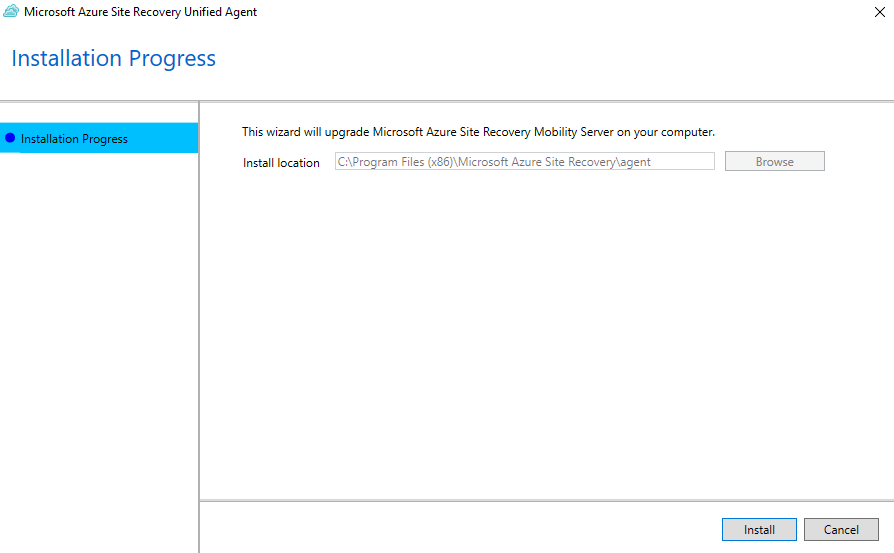 |
2. Getting the Failed status in the “Running installation prerequisites” step. After clicking details, we can see the json file with additional details of the error. |
3. Opening the reference json file we can get more information of the generic error: |
SOLUTION:
The following actions can resolve the issue:
| 1. Open the regional settings in control panel. In this example, the server is configured to use the French format (Canada). 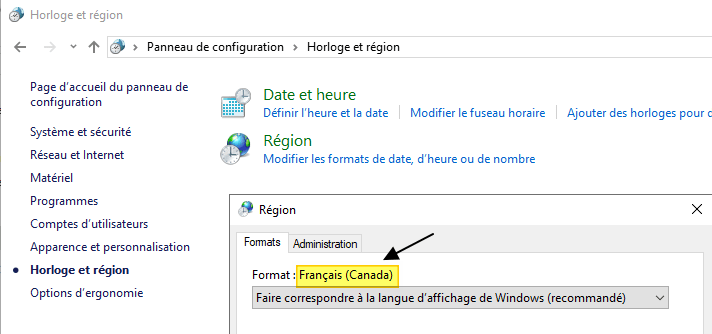 |
| 2. Change the format to English. In my example, I am selecting English (Canada) 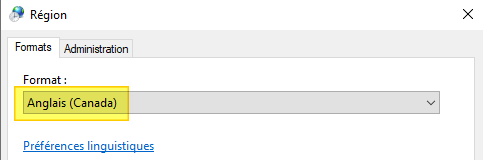 |
3. Re-start the installation. At this point all the steps were completed successfully: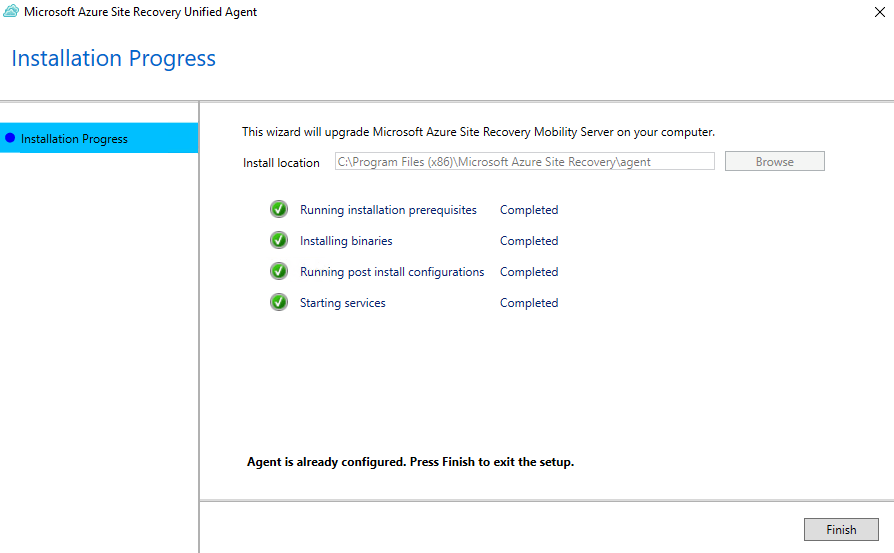 |
| 4. Set the regional settings to its original value. |
 OGANDOS